> ## Documentation Index
> Fetch the complete documentation index at: https://docs.mocklyapi.com/docs/llms.txt
> Use this file to discover all available pages before exploring further.
# Quickstart
> Begin building your first mock API with ease
## Getting Started
When you log in to MocklyAPI for the first time, an organization and project will be automatically created for you.
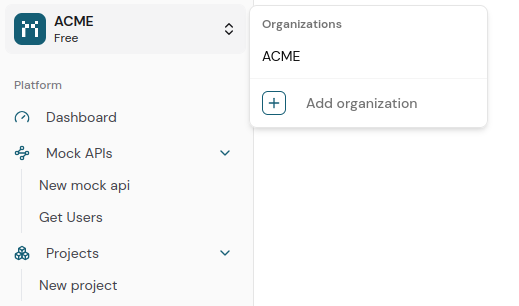
To create additional organizations, use the organization switcher and select the option to create a new one.
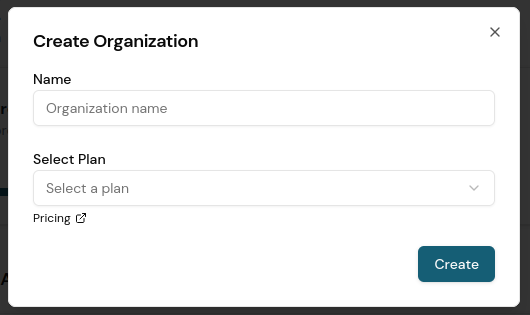 Billing is calculated on a per-organization basis. Each user is entitled to create and manage up to two organizations at no cost.
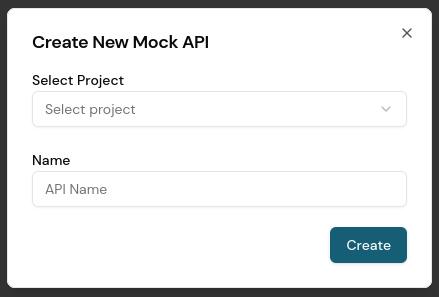
To create a new mock API, select a project and provide a name.
Billing is calculated on a per-organization basis. Each user is entitled to create and manage up to two organizations at no cost.
To create a new mock API, select a project and provide a name.
 You will then be redirected to the editor interface.
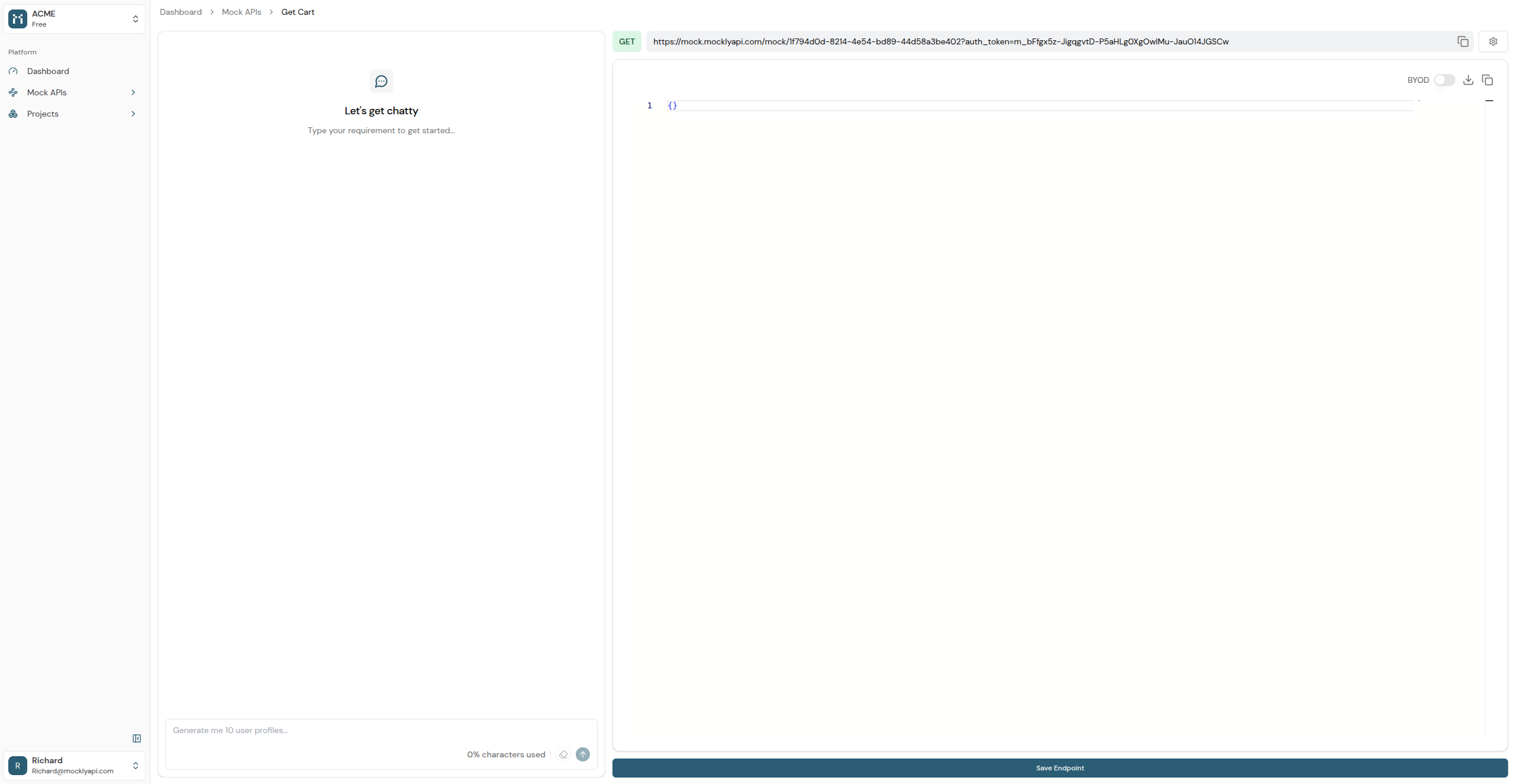 Generate data through a simple chat conversation. For example you can specify “Create 10 users for an e-commerce clothing store application.”
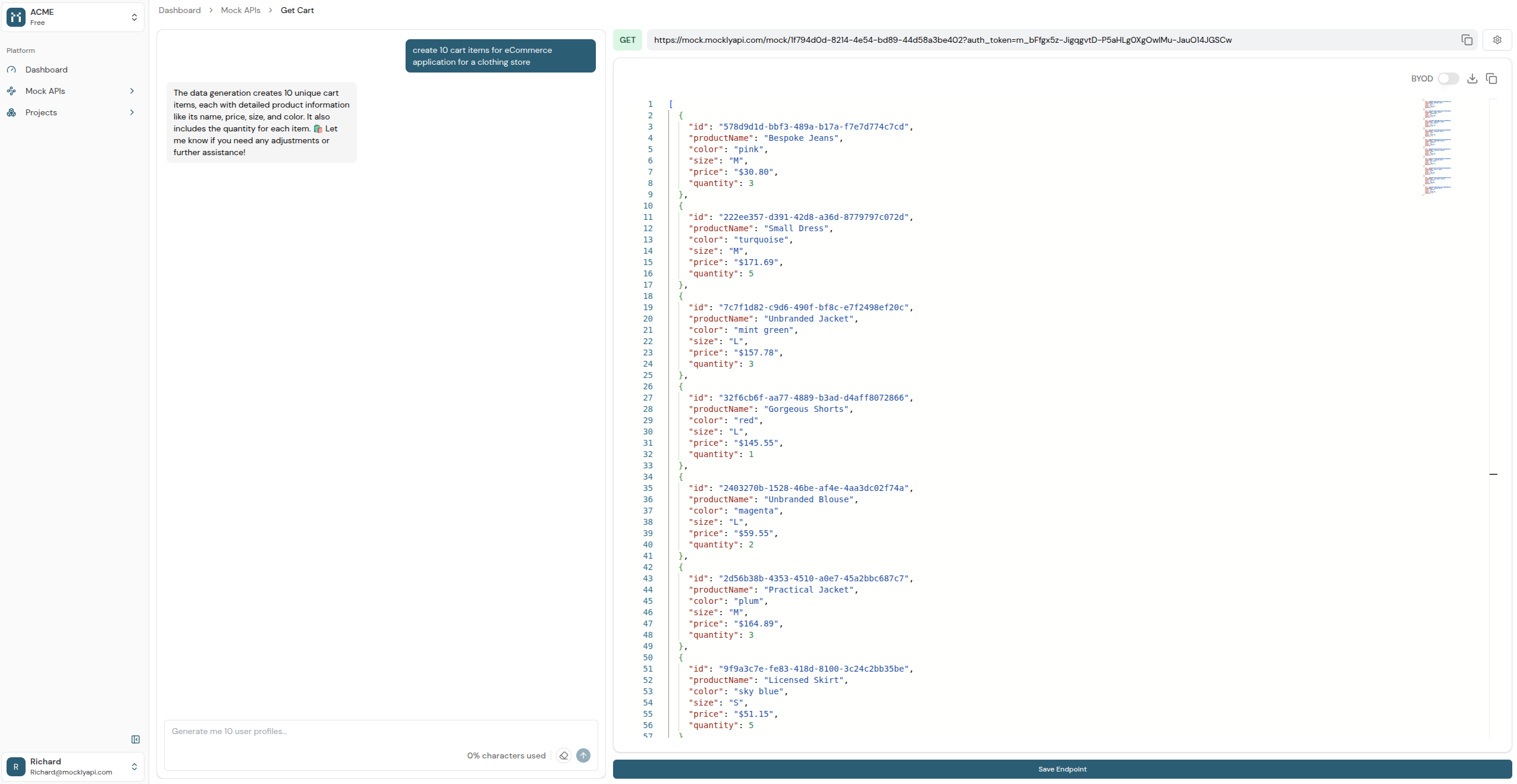 Refine your dataset through additional interactions as needed. Once finalized, click "Save Endpoint" to persist your changes. You can access the data by visiting the provided URL or sending an HTTP request to the endpoint.
By default, endpoints are private and require an authentication token via query parameters to prevent unauthorized access. You can make them public through the settings if necessary.
Refine your dataset through additional interactions as needed. Once finalized, click "Save Endpoint" to persist your changes. You can access the data by visiting the provided URL or sending an HTTP request to the endpoint.
By default, endpoints are private and require an authentication token via query parameters to prevent unauthorized access. You can make them public through the settings if necessary.
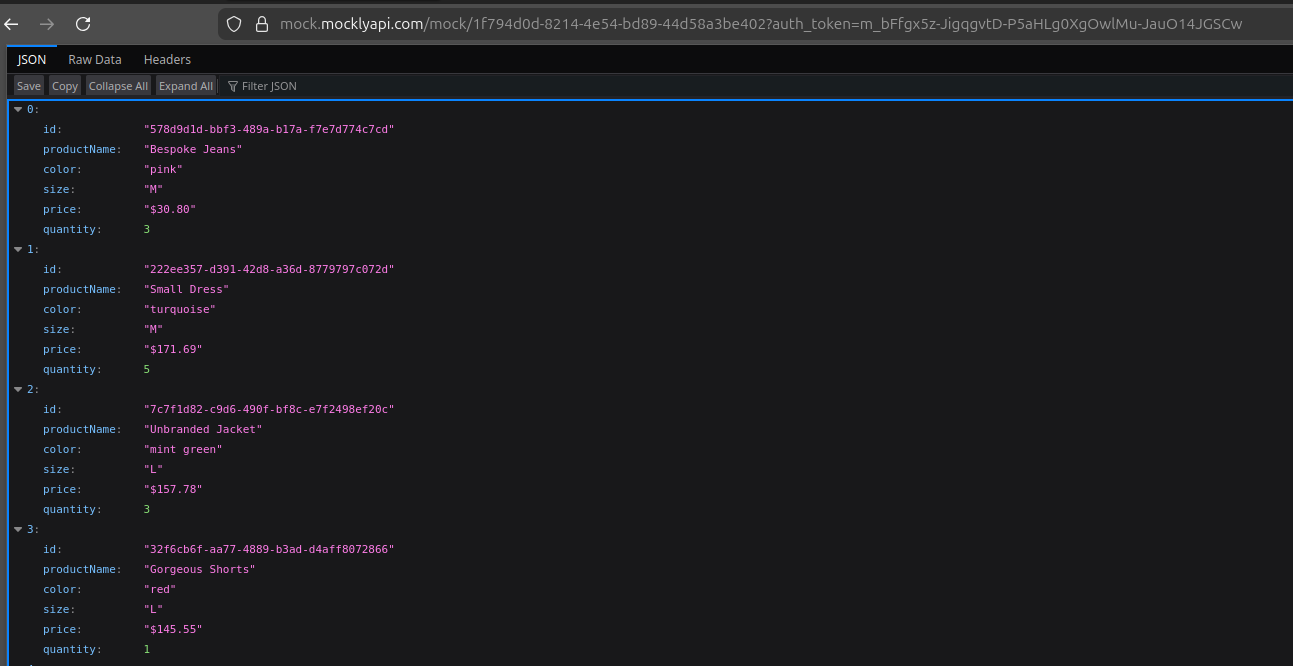
 Visit the endpoint to retrieve the generated data.
 ## Next Steps
With your first mock API up and running, explore these key features:
Seamlessly upload and utilize your existing datasets within MocklyAPI.
Secure your mock APIs with private endpoints and authentication tokens.
Customize response formats, latency, and other parameters for realistic simulations.
Instantly generate realistic, structured datasets using simple chat-based prompts.
## Next Steps
With your first mock API up and running, explore these key features:
Seamlessly upload and utilize your existing datasets within MocklyAPI.
Secure your mock APIs with private endpoints and authentication tokens.
Customize response formats, latency, and other parameters for realistic simulations.
Instantly generate realistic, structured datasets using simple chat-based prompts.