
Overview

MocklyAPI provides multiple configuration options to customize your mock endpoints and simulate real-world API behavior. These settings allow you to control response types, status codes, authentication, delays, and data randomization.

Available Configurations

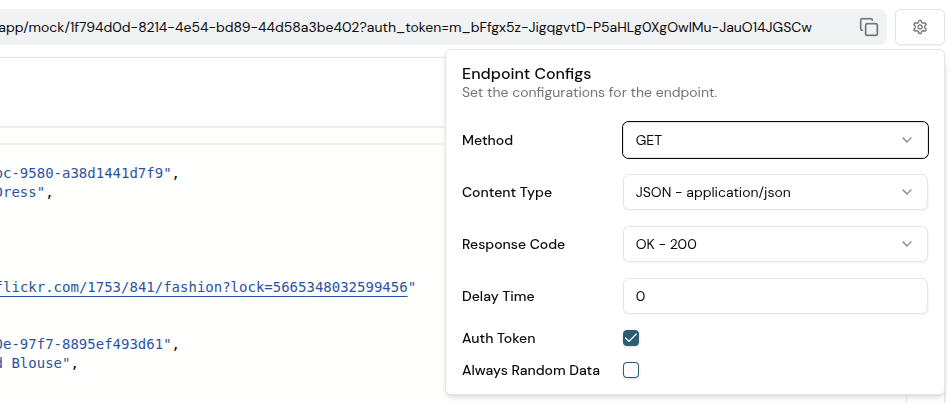
Mock API settings view showing configuration options

Configuration Summary

SettingOptionsDefaultDescription
HTTP Content Typeapplication/jsonapplication/jsonResponse content type format
HTTP Response Code200, 400, 500200HTTP status code returned
HTTP MethodGETGETAllowed HTTP method
AuthenticationEnabled / DisabledEnabledRequire auth token for access
Response Delay0-30 seconds0Simulate server latency
Always Random DataEnabled / DisabledDisabledGenerate new random data per request

Always Random Data

Random Data Configuration

Generate fresh random data on every request.

Options

Disabled (Default)
  • Returns the same mock data on every request
  • Consistent, predictable responses
  • Ideal for deterministic testing
Enabled
  • Generates new random data for each request
  • Different response on every call
  • Useful for testing dynamic UI updates
Enabling this feature may increase API call latency, as new data is generated for each request.
This feature is only available for supported datasets that can be randomly generated. BYOD and some static datasets cannot be randomized.
Configuration changes only take effect after you click the Save button. Unsaved changes will be lost if you navigate away.